Effective Asynchronous Communication Strategies
by admin in Productivity & Tools 113 - Last Update December 1, 2025
I used to believe that a full calendar meant a productive day. Back-to-back video calls felt like a badge of honor in the early days of remote work. But honestly, I was just burning out. My days were a blur of reacting to notifications and jumping between meetings, with almost no time for the deep, focused work that actually moves projects forward. The turning point for me wasn\'t a new app or a productivity hack; it was a fundamental shift in mindset towards asynchronous communication.
Why i stopped aiming for \'inbox zero\' and started aiming for \'clarity zero\'
My first attempts at async were clumsy. I\'d fire off short, cryptic messages thinking I was being efficient, but it just created endless back-and-forth clarification threads. The real \'aha\' moment came when I realized the goal isn\'t just to send a message, but to send a message so clear that it requires zero clarification. I call this \'Clarity Zero\'. It means anticipating questions and providing all necessary context upfront. It feels slower at first, but I\'ve found it saves my team hours of wasted time each week.
My golden rules for async-first collaboration
Over the years, I\'ve honed my approach down to a few core principles that I try to live by. These aren\'t rigid rules, but more like guiding philosophies that have completely transformed my team\'s workflow and sanity.
- Write it like you\'ll be on vacation tomorrow. I always ask myself: if I were to log off for a week right after sending this, would my team have everything they need to proceed? This forces me to include links, reference materials, and a clear \'ask\' in every significant communication.
- Choose the right channel for the right message. Not all async is created equal. I learned the hard way that a complex project update doesn\'t belong in a rapid-fire chat tool. We now have a simple hierarchy: project management tools for tasks and updates, shared documents for collaborative work, and chat for quick, non-urgent questions. Email is almost exclusively for external communication.
- Record a video when text isn\'t enough. Sometimes, context is lost in text. Instead of scheduling a 30-minute meeting to explain a design mockup or a complex workflow, I\'ll record a 5-minute screen-share video. I can talk through my thoughts, point to specific areas, and convey tone much more effectively. It\'s a game-changer.
The unexpected benefits i discovered
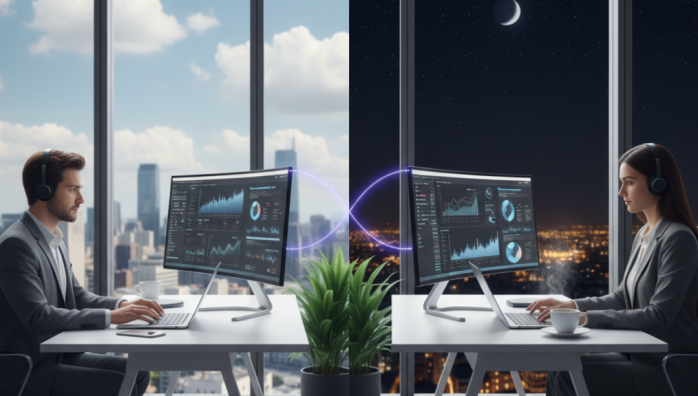
The most obvious benefit was reclaiming hours of my day for focused work. But the secondary effects were what truly surprised me. Because we had to be more intentional and clear in our writing, our project documentation improved dramatically. Decisions were better documented and easier to find later. Furthermore, it created a more inclusive environment for team members across different time zones. Their workday wasn\'t dictated by my meeting schedule. They could contribute thoughtfully on their own time, which I believe led to better, more considered work from everyone.
Adopting an asynchronous-first culture isn\'t about eliminating meetings entirely. It\'s about making them the exception, not the rule. It\'s a deliberate choice to protect your team\'s most valuable resource: their time and attention. For me, it was the key to unlocking a calmer, more sustainable, and ultimately more productive way of working together.