Why I Ditched the PARA Method for a Simpler 'Pantry' System in Obsidian
by admin in Productivity & Tools 128 - Last Update November 29, 2025
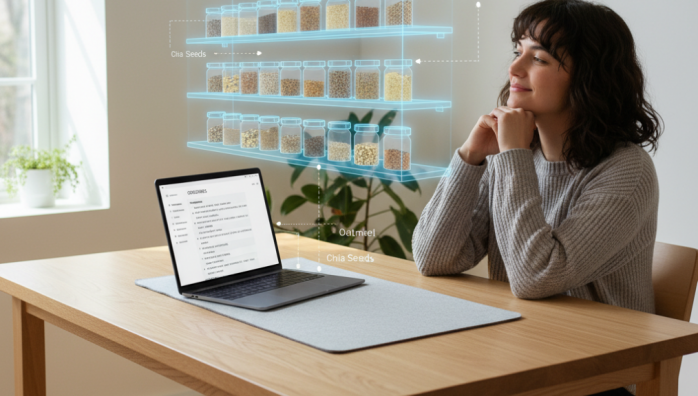
I have a confession to make: I quit the PARA method. For months, I was a devotee. The promise of a perfectly organized digital life with Projects, Areas, Resources, and Archives was intoxicating. I spent countless hours migrating notes, creating folders, and feeling like I was finally in control. But honestly, I was just procrastinating. I was organizing for the sake of organizing, and the system itself was creating more friction than it was removing.
The promise of PARA and the reality of friction
On paper, PARA is brilliant. It\'s a logical, top-down system that should work for everyone. And for a while, it did work for me. I knew exactly where to find my project plan for a client or my notes on a book I was reading. The problem was the input. Every time I captured a new idea, I\'d face a moment of decision paralysis. Is this fleeting thought a \'Resource\'? Or does it belong to an \'Area\' of my life? If it\'s for a potential project, does it go in \'Projects\' now or later? This tiny moment of cognitive load, repeated dozens of times a day, became a massive roadblock to my creativity and flow.
The trap of over-organization
I realized my system had become too rigid. My brain doesn\'t work in neat little boxes. Ideas are fluid, connecting and weaving between different parts of my life. Forcing every thought into one of four buckets felt unnatural. I was building a beautiful, complex library, but I was so busy being the librarian that I forgot to be the author.
The \'aha\' moment: thinking like a kitchen pantry
The breakthrough came from an unlikely place: my kitchen. I don\'t organize my pantry using the PARA method. I have a shelf for \'things I\'m using for dinner this week\' (active projects). I have shelves for canned goods, spices, and grains (resources grouped by type). And I have a deep freezer for things I don\'t need right now but want to save for later (archive). It\'s simple, intuitive, and based on utility, not abstract theory. I wondered, what if I applied this \'Pantry\' logic to my notes in Obsidian?
How my \'Pantry\' system works in Obsidian
Instead of rigid folders, I started relying on Obsidian\'s core strengths: linking and search. My new system is much flatter and more fluid.
- The Front Shelf (Active Projects): These are my \'MOCs\' or Maps of Content. I have one note for each active project that links to all the relevant tasks, meetings, and resources. They live in my sidebar, easily accessible, just like the ingredients for tonight\'s dinner.
- The Main Shelves (Knowledge & Resources): This is the bulk of my vault. Notes are saved in broad categories like \'Marketing\', \'Productivity\', or \'Book Notes\'. I don\'t obsess over sub-folders. The real organization happens organically through backlinks. A note on \'copywriting\' can be linked from a marketing project and a book note simultaneously without needing to be duplicated.
- The Freezer (The Archive): When a project is done, I simply remove the MOC from my sidebar and add an `#archived` tag. The notes are still there, fully searchable, but they\'re not cluttering my workspace. It\'s out of sight, but never truly gone.
Why this is more effective for me
Honestly, this simpler system has been a game-changer. I spend almost zero time on administrative tasks. Capturing a note is instantaneous—I just write it and link it later if needed. The focus has shifted from \'Where does this go?\' to \'How does this connect to my other ideas?\'. It\'s a system that promotes thinking and creating, not just filing. It might not be as pristinely structured as a perfect PARA setup, but like a well-used pantry, it\'s far more practical and productive for my daily life.














