Why I Ditched My Complex To-Do List App for a Simple Text File
by admin in Productivity & Tools 118 - Last Update December 6, 2025
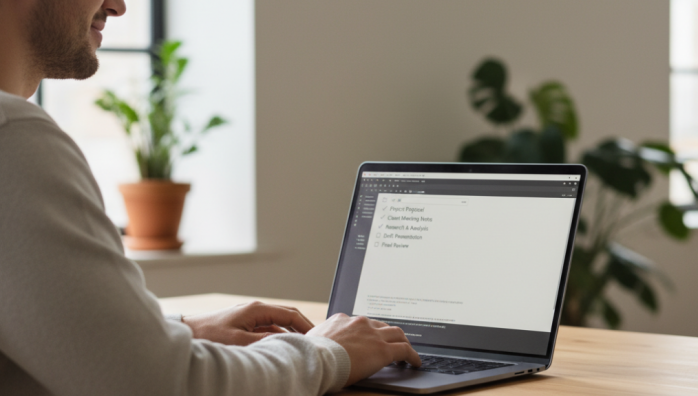
I have a confession to make. For years, the very tool I used to manage my productivity was actually the biggest source of my anxiety. I was a power user of a popular, feature-rich to-do list app. It had projects, sub-tasks, priority flags, labels, filters, and integrations that promised a seamless workflow. Instead, I felt like I was spending more time managing my task manager than actually doing the tasks. It was a constant, low-grade hum of digital noise that left me feeling overwhelmed.
The breaking point was digital exhaustion
The moment of clarity came one Monday morning. I opened my app to see a cascade of overdue tasks, notifications, and reminders. The interface, once sleek and promising, now felt like a cluttered dashboard demanding my attention. I realized the app was creating work about work. I was categorizing, prioritizing, and rescheduling tasks instead of simply completing them. Honestly, I felt like I was failing at being productive because I couldn\'t even keep up with the tool designed to help me.
When features become friction
The problem with these complex systems, I\'ve found, is that they introduce incredible friction. Every task required a decision: What project does this belong to? What\'s the priority level? Does it need a label? This cognitive load, multiplied across dozens of tasks, was exhausting. I craved simplicity. I needed a system that would get out of my way and just let me work.
The surprising power of a plain text file
On a whim, I opened a basic text editor and created a file named `todo.txt`. I typed out a few bullet points for the day. That\'s it. No projects, no labels, no due dates. Just a simple list of things I wanted to accomplish. The sense of relief was immediate and profound. After a week of this experiment, I deleted my complex to-do app and never looked back.
The unexpected benefits I discovered
Switching to a simple text file seemed like a step backward, but it unlocked a new level of focus and clarity. Here\'s what I learned:
- It\'s incredibly fast: There\'s zero loading time. I can open the file, add a task, and close it in seconds. This removes the barrier to capturing ideas quickly.
- There are no distractions: A text file doesn\'t have notifications, badges, or fancy features vying for my attention. It\'s a blank canvas for my thoughts and a quiet space for my work.
- It\'s infinitely flexible: I can structure it however I want. Some days it\'s a simple checklist. Other days I add notes, links, or even a small journal entry. The system adapts to me, not the other way around.
- It\'s future-proof and portable: A `.txt` file will be readable on any device, now and fifty years from now. It syncs effortlessly via any cloud service, and I\'m not locked into a specific company\'s ecosystem.
Is this method for everyone?
I\'ll be the first to admit this system isn\'t perfect for every scenario. If you\'re managing a large team with complex, interdependent projects, you absolutely need a dedicated project management tool. But for my personal and professional solo tasks, the goal isn\'t to build a beautiful, color-coded productivity dashboard. The goal is to get things done. I found that by stripping away all the features, I was left with the one thing that truly mattered: the work itself.