Minimizing Interruptions During Coding Sessions
by admin in Productivity & Tools 191 - Last Update November 30, 2025
I remember the exact moment I hit my breaking point. I was deep into a complex refactoring task, holding a dozen different variables in my head, when a Slack notification popped up. It was a simple question, a one-line answer. But by the time I typed it and switched back to my code editor, the entire mental model I had built was gone. It took me another 20 minutes just to get back to where I was. That tiny, five-second interruption cost me nearly half an hour. It was then I realized that my biggest challenge wasn\'t writing code; it was creating the space to write it.
The expensive lie of context switching
For years, I bought into the myth that being a good developer meant being instantly available. I prided myself on quick replies. What I failed to understand was the cognitive cost. Every time I switched from my IDE to Slack, email, or a project management tool, I was paying a heavy tax. It\'s not just the time of the interruption itself; it\'s the ramp-up time required to reload the problem\'s context into your brain. I\'ve come to believe that defending your focus is one of the most critical, yet underrated, skills in modern software development.
My three-layer defense for deep work
After that breaking point, I stopped hoping for uninterrupted time and started engineering it. I developed a three-layer system that addresses digital, physical, and organizational interruptions. It\'s not about becoming a hermit; it\'s about controlling the flow of information with intention.
Layer 1: The digital fortress
This is my first line of defense. I treat my digital workspace like a sanctuary. On my primary development machine, I\'ve quit all non-essential applications. Notifications are systemically silenced. I use the built-in \'Focus\' or \'Do Not Disturb\' modes religiously. My Slack status isn\'t just a gimmick; it\'s a clear signal. I\'ll set it to \'Deep Work: Please message, I\'ll reply later\' and turn off all banner and sound alerts. It took some getting used to, but I realized that nothing is truly so urgent that it can\'t wait 90 minutes for a reply.
Layer 2: The physical signal
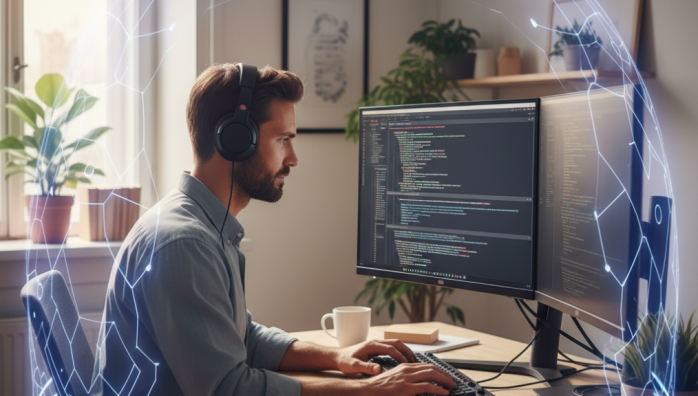
In an office environment, a digital status isn\'t always enough. People will still walk up to your desk. My solution was simple: I started wearing my large, over-ear headphones. Honestly, half the time I\'m not even listening to anything. The headphones have become a universal, non-confrontational sign for \'I\'m in the zone, please don\'t interrupt unless it\'s a critical issue\'. It\'s a polite but firm physical barrier that has dramatically reduced the number of \'quick question\' tap-on-the-shoulder moments.
Layer 3: The calendar as a shield
This was the game-changer for me. I started blocking out 2-3 hour chunks of \'Focus Time\' directly on my shared work calendar. At first, it felt a bit selfish, like I was telling people I was too busy for them. But the opposite happened. My colleagues started respecting that time and scheduling meetings around it. It made my commitment to deep work visible to the entire organization. This simple act communicates my priorities without me having to say a word and has been the most effective way to prevent my coding sessions from being fragmented by meetings.
It’s about intention, not isolation
Adopting these strategies didn\'t make me a less collaborative team member. In fact, I believe it\'s made me a better one. Because I now batch my communication—checking and responding to messages in dedicated blocks of time—my answers are more thoughtful. Because my coding time is more productive, I deliver more reliable code, faster. It\'s a shift from a reactive, always-on state to a proactive, intentional workflow. And that shift has made all the difference in the quality of my work and my overall sanity.