I Quit the PARA Method: Here’s What I Do Instead
by admin in Productivity & Tools 161 - Last Update December 5, 2025
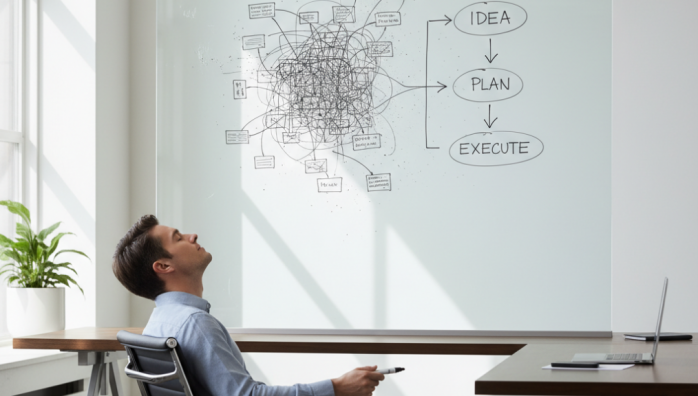
I have a confession to make. For years, I was a devout follower of the PARA method. I read the books, watched the videos, and meticulously organized my digital life into Projects, Areas, Resources, and Archives. On the surface, it was perfect. But deep down, something felt wrong. I was spending more time shuffling digital files than actually making progress. It was a subtle friction, a nagging voice that said, “This isn\'t helping you *do* the work.” So, I did the unthinkable: I quit.
Honestly, it felt like a productivity sin. But the relief was immediate. The problem for me wasn\'t that PARA is a bad system—it\'s brilliant for many—but that its rigid structure became a form of productive procrastination. I realized I needed a system built for action, not just for perfect categorization.
The core friction of PARA for my workflow
After some reflection, I pinpointed my main struggles. The line between a \'Project\' and an \'Area\' was often blurry. Is \'Improve my website\' a project with an end date, or an ongoing area of my business? I’d waste precious cognitive energy just deciding where a note should live. My \'Resources\' folder became a sprawling digital library I rarely visited, a graveyard of good intentions. The overhead of maintaining the system started to outweigh the benefits.
My mindset shift: from librarian to workshop manager
The breakthrough came when I stopped thinking of my digital space as a library to be perfectly cataloged. Instead, I started viewing it as a workshop. In a workshop, tools and materials aren\'t organized by abstract category; they\'re organized by what you need to build something *right now*. Everything is geared towards the current project. This shift from passive storage to active creation changed everything.
My new system: a focus on flow and action
I didn\'t adopt another guru\'s pre-packaged system. Instead, I built something simple and fluid based on my own workflow. It\'s less about folders and more about states of information. I informally call it the \'Action Funnel\'.
1. The inbox: a single point of capture
Everything—ideas, links, notes, tasks—goes into one place. A single \'Inbox\' note or folder. I don\'t sort it, I don\'t tag it, I just dump it. The goal is to reduce the friction of capturing a thought to zero. I’ve found that the simple act of deciding *where* to put something can be enough to make me not capture it at all.
2. The \'active\' space: my workbench
This is the most critical part. This is a small, curated collection of notes directly related to the 2-3 projects I am actively working on *this week*. It\'s my virtual workbench. Nothing else is allowed in. It’s clean, focused, and contains only what I need to make progress today. Once a project is done or paused, its notes are moved out.
3. The \'backburner\' zone: for later
This is for ideas and projects that are interesting but not urgent. It\'s my new \'Resources\' folder, but with a crucial difference: I review it once a month. If an idea still sparks joy and relevance, it stays. If not, I delete it without guilt. It\'s a dynamic holding area, not a permanent archive.
4. The archive: a true vault
My archive is now only for completed projects and essential records (like contracts or tax documents). It’s a place I rarely visit. By making the other three stages so effective, I found my need to rummage through an archive has almost disappeared.
Quitting PARA wasn\'t a rejection of its principles, but an evolution of them for my own mind. My new, simpler system has brought back a sense of flow and momentum. I spend less time managing my system and more time creating, building, and doing. And for me, that\'s the whole point of productivity.














