I Ditched Time Blocking for Task Batching: Here's What Actually Happened
by admin in Productivity & Tools 196 - Last Update November 28, 2025
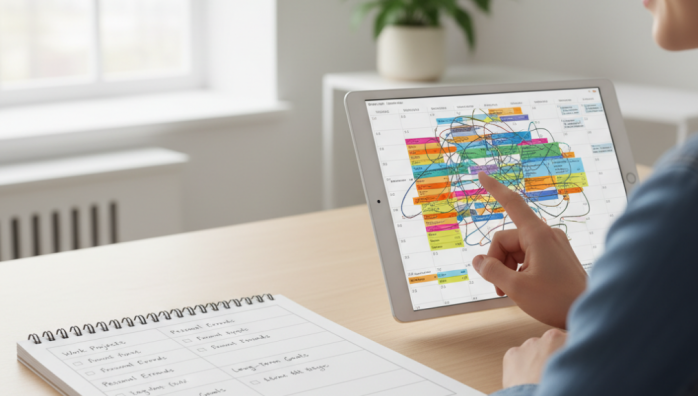
For years, my digital calendar was a work of art. A perfectly color-coded mosaic of time blocks, each one representing a step towards peak productivity. I was a devout follower of the time blocking method, convinced that militant scheduling was the key to getting more done. The truth? I was more stressed than ever, constantly feeling like I was failing my own perfect schedule. One unexpected phone call could derail my entire day, leaving me feeling defeated.
The promise of a perfect schedule
I honestly believed that if I could just control every minute, I could conquer my workload. Time blocking felt like the ultimate power move. It promised structure, clarity, and a clear path forward each day. I\'d spend my Sunday evenings meticulously planning the week ahead, assigning every task to a specific slot. It looked impressive, and for a short while, it felt like I was in complete control. But this illusion of control was incredibly fragile.
Where it all fell apart for me
The core problem I ran into was simple: life is messy. My rigid schedule had no room for humanity. A colleague needing a quick chat, a project taking longer than anticipated, or even just a moment of low energy—all these things became sources of immense anxiety. I wasn\'t just falling behind on tasks; I was falling behind a schedule I had imposed on myself. I was spending more mental energy trying to stick to the plan than I was on the actual work. It was exhausting, and I realized something had to change.
My \'aha\' moment with task batching
I stumbled upon task batching almost by accident while looking for a more flexible alternative. The concept was simple: instead of scheduling tasks by time, group similar tasks together and do them in one focused session. It suddenly clicked for me. The real enemy of my productivity wasn\'t a lack of time; it was constant context switching. Jumping from writing an email, to working on a creative brief, to updating a spreadsheet was draining my mental battery.
My simple task batching system
I decided to try a simple experiment. I abandoned my color-coded calendar and started a new system based on my energy levels and the type of work. My week now revolves around dedicated \'batches\' like these:
- Communications Batch: I handle all my emails, Slack messages, and return calls twice a day, once in the late morning and once before I log off. No more checking email every five minutes.
- Deep Work Batch: This is a 90-minute to 2-hour, non-negotiable block for my most important creative or strategic task. Phone on silent, notifications off.
- Admin Batch: A 45-minute block for all the small, necessary evils—filing expenses, updating trackers, and organizing files.
The real results: more focus, less stress
The change was almost immediate. By focusing on one type of task at a time, I entered a state of flow much more easily. The mental friction of switching gears was gone. My days feel less frantic and more intentional. I still have a plan, but it’s a flexible framework, not a rigid prison. I actually get more meaningful work done, and more importantly, I end my days feeling accomplished instead of defeated. For me, it was never about finding the perfect productivity system, but about finding one that worked for my actual human brain.